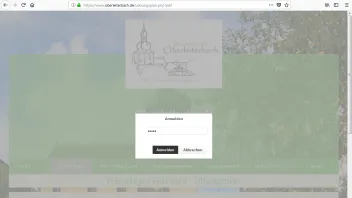
Ich komme einfach nicht mehr weiter habe folgende Fehlermeldung beim Veröffentlichen: Authentication attempt rejected by the server
Rebex.Net.SftpException
-----------------
Authentication attempt rejected by the server.
-----------------
bei Rebex.Net.Sftp.ypke(String qo, String qp, SshPrivateKey qq, ctch qr)
bei Rebex.Net.Sftp.Login(String userName, String password)
bei ZetaProducerPublishing.Runtime.Protocols.SftpProtocol.SftpEngine.DoOpen(OpenInformation information) in c:\P\ZP\14.3\ZetaProducerPublishing\Source\Runtime\Protocols\SftpProtocol\SftpEngine.cs:Zeile 217.
bei ZetaProducer.RuntimeBusinessLogic.Publishing.Testing.ConnectionTestController.doTestRunNormal(Cancelable cancelable, Boolean quickTestOnly) in c:\P\ZP\14.3\ZetaProducerMain\Source\Core\RuntimeBusinessLogic\Publishing\Testing\ConnectionTestController.cs:Zeile 89.
bei ZetaProducer.RuntimeBusinessLogic.Publishing.Testing.ConnectionTestController.Test(Cancelable cancelable, Boolean quickTestOnly, Boolean allowThrow) in c:\P\ZP\14.3\ZetaProducerMain\Source\Core\RuntimeBusinessLogic\Publishing\Testing\ConnectionTestController.cs:Zeile 47.
SftpException
{
Status=OperationFailure,
Code=UnknownError,
Transferred=0,
RemotePath=null,
LocalPath=null,
ProblemType=0,
Status=OperationFailure,
ProtocolCode=null,
ProtocolMessage=null,
Message="Authentication attempt rejected by the server.",
Data=
[
"SftpStatus" = OperationFailure
"Status" = OperationFailure
]
,
InnerException=SshException
{
Status=OperationFailure,
Status=OperationFailure,
ProtocolCode="13",
ProtocolMessage="AuthenticationCancelledByUser",
Message="Authentication attempt rejected by the server.",
Data=
[
"SshStatus" = OperationFailure
"SshRemote" = False
"Status" = OperationFailure
"ProtocolCode" = "13"
"ProtocolMessage" = "AuthenticationCancelledByUser"
]
,
InnerException=null,
TargetSite=RuntimeMethodInfo: wwrd,
StackTrace=" bei Rebex.Net.SshSession.wwrd(String aed, String aee, Boolean aef)\\r\\n bei Rebex.Net.SshSession.wwrf(String aei, String aej, SshPrivateKey aek, SshGssApiCredentials ael, Boolean aem)\\r\\n bei Rebex.Net.SshSession.Authenticate(String userName, String password, SshPrivateKey privateKey)\\r\\n bei Rebex.Net.Sftp.xppp.qjkw(String aly, String alz, SshPrivateKey ama, ctch amb)\\r\\n bei Rebex.Net.Sftp.ypke(String qo, String qp, SshPrivateKey qq, ctch qr)",
HelpLink=null,
Source="Rebex.Networking",
HResult=-2146233088
},
TargetSite=RuntimeMethodInfo: ypke,
StackTrace=" bei Rebex.Net.Sftp.ypke(String qo, String qp, SshPrivateKey qq, ctch qr)\\r\\n bei Rebex.Net.Sftp.Login(String userName, String password)\\r\\n bei ZetaProducerPublishing.Runtime.Protocols.SftpProtocol.SftpEngine.DoOpen(OpenInformation information) in c:\\P\\ZP\\14.3\\ZetaProducerPublishing\\Source\\Runtime\\Protocols\\SftpProtocol\\SftpEngine.cs:Zeile 217.\\r\\n bei ZetaProducer.RuntimeBusinessLogic.Publishing.Testing.ConnectionTestController.doTestRunNormal(Cancelable cancelable, Boolean quickTestOnly) in c:\\P\\ZP\\14.3\\ZetaProducerMain\\Source\\Core\\RuntimeBusinessLogic\\Publishing\\Testing\\ConnectionTestController.cs:Zeile 89.\\r\\n bei ZetaProducer.RuntimeBusinessLogic.Publishing.Testing.ConnectionTestController.Test(Cancelable cancelable, Boolean quickTestOnly, Boolean allowThrow) in c:\\P\\ZP\\14.3\\ZetaProducerMain\\Source\\Core\\RuntimeBusinessLogic\\Publishing\\Testing\\ConnectionTestController.cs:Zeile 47.",
HelpLink=null,
Source="Rebex.Sftp",
HResult=-2146233088
}
-->Authentication attempt rejected by the server.
Rebex.Net.SshException
-----------------
Authentication attempt rejected by the server.
-----------------
bei Rebex.Net.SshSession.wwrd(String aed, String aee, Boolean aef)
bei Rebex.Net.SshSession.wwrf(String aei, String aej, SshPrivateKey aek, SshGssApiCredentials ael, Boolean aem)
bei Rebex.Net.SshSession.Authenticate(String userName, String password, SshPrivateKey privateKey)
bei Rebex.Net.Sftp.xppp.qjkw(String aly, String alz, SshPrivateKey ama, ctch amb)
bei Rebex.Net.Sftp.ypke(String qo, String qp, SshPrivateKey qq, ctch qr)
SshException
{
Status=OperationFailure,
Status=OperationFailure,
ProtocolCode="13",
ProtocolMessage="AuthenticationCancelledByUser",
Message="Authentication attempt rejected by the server.",
Data=
[
"SshStatus" = OperationFailure
"SshRemote" = False
"Status" = OperationFailure
"ProtocolCode" = "13"
"ProtocolMessage" = "AuthenticationCancelledByUser"
]
,
InnerException=null,
TargetSite=RuntimeMethodInfo: wwrd,
StackTrace=" bei Rebex.Net.SshSession.wwrd(String aed, String aee, Boolean aef)\\r\\n bei Rebex.Net.SshSession.wwrf(String aei, String aej, SshPrivateKey aek, SshGssApiCredentials ael, Boolean aem)\\r\\n bei Rebex.Net.SshSession.Authenticate(String userName, String password, SshPrivateKey privateKey)\\r\\n bei Rebex.Net.Sftp.xppp.qjkw(String aly, String alz, SshPrivateKey ama, ctch amb)\\r\\n bei Rebex.Net.Sftp.ypke(String qo, String qp, SshPrivateKey qq, ctch qr)",
HelpLink=null,
Source="Rebex.Networking",
HResult=-2146233088
}
Ignoring inner exception because of previous OutOfMemoryException. See https://stackoverflow.com/a/25010668/107625