Da immer wieder Anfragen zur Anpassung des Warenkorb Icons gestellt werden hier ein kleines Tutorial dazu.
- Mit unterstehendem CSS können Sie den Warenkorb-Icon des Shops von Zeta Producer anpassen.
- Navigieren Sie zur Seite "Shop > Warenkorb", öffnen Sie hier das Widget "Shop:Warenkorb" klicken Sie unten links auf das "Mischpult" und fügen eine Grafik für Ihr "Warenkorb-Icon" ein.
- Damit die Grafik übernommen wird gehen Sie anschließend auf: "Erweitert > Erstellen > Alle Seiten erstellen".
- Untenstehendes CSS fügen Sie über Website > Einstellungen > CSS ein.
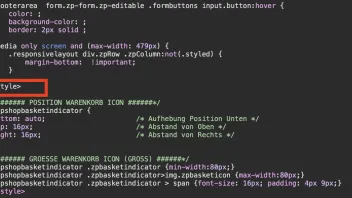
- WICHTIG: Ganz am Anfang des CSS schreiben Sie ein <style> und ganz am Ende ein </style>.
Position des Icons Oben/Rechts:
CSS
/*###### POSITION WARENKORB ICON ######*/
.zpshopbasketindicator {
bottom: auto;                      /* Aufhebung Position Unten */
top: 16px;                         /* Abstand von Oben */
right: 16px;                       /* Abstand von Rechts */
}
Warenkorb Größe "GROSS"
CSS
/*###### GROESSE WARENKORB ICON (GROSS) ######*/
.zpshopbasketindicator .zpbasketindicator {min-width:80px;}
.zpshopbasketindicator .zpbasketindicator>img.zpbasketicon {max-width:80px;}
.zpshopbasketindicator .zpbasketindicator > span {font-size: 16px; padding: 4px 9px;}
Warenkorb Größe "MITTEL"
CSS
/*###### GROESSE WARENKORB ICON (Mittel) ######*/
.zpshopbasketindicator .zpbasketindicator {min-width:60px;}
.zpshopbasketindicator .zpbasketindicator>img.zpbasketicon {max-width:60px;}
.zpshopbasketindicator .zpbasketindicator > span {font-size: 14px; padding: 3px 7px;}
Warenkorb Größe "KLEIN"
CSS
/*###### GROESSE WARENKORB ICON (KLEIN) ######*/
.zpshopbasketindicator .zpbasketindicator {min-width:40px;}
.zpshopbasketindicator .zpbasketindicator>img.zpbasketicon {max-width:40px;}
.zpshopbasketindicator .zpbasketindicator > span {font-size: 12px; padding: 2px 6px;}
Abstand zwischen Icon und Artikelanzahl
CSS
/*###### ABSTAND ICON/ARTIKELANZAHL ######*/
.zpshopbasketindicator .zpbasketindicator>img.zpbasketicon {
top: 22px;
}
Layout Artikelanzahl
CSS
/*###### LAYOUT ARTIKELANZAHL ######*/
.zpshopbasketindicator .zpbasketindicator > span {
border-radius:50% !important;                           /* (50% = Rund) (3px = 3px Runde Ecken) (0 = Eckig) */
color:blue;                                             /* SCHRIFTFARBE */
background-color:rgba(244, 255, 255, 0.8);              /* HINTERGRUNDFARBE */
box-shadow: 0 0 0 1px blue;                             /* RAHMENFARBE */
}
Anpassung für die Mobile Ansicht
CSS
/*###### WARENKORB ICON MOBILE ######*/
@media (max-width: 920px) {               /* BREAKPOINT */
.zpshopbasketindicator {
top: 16px;                                /* ABSTAND VON OBEN */
right: 16px;                              /* ABSTAND VON RECHTS */
}
/* WARENKORB ICON KLEIN */
.zpshopbasketindicator .zpbasketindicator {min-width:40px;}
.zpshopbasketindicator .zpbasketindicator>img.zpbasketicon {max-width:40px;}
.zpshopbasketindicator .zpbasketindicator > span {font-size: 12px; padding: 2px 6px;};
}